How to create a factory in OnBoard™ IoT Security
Currently, factories can't be deleted after creation.
This article will guide you on how to create a factory in OnBoard™ IoT Security (OBIS) to configure its basic information, preparing for configuring factory managers, HSM U-Safe, Identity U-Safe, and programming stations.
Factory type
OBIS supports the creation of local factories and cloud factories:
- Local factory: Requires an OnBoard Edge Service deployment on the factory side, typically hosted on a local factory server, to provide on-site production management capabilities. Each local factory is associated with a dedicated OnBoard Edge Service. Once the batch information is synchronized to OnBoard Edge Service, the factory can execute offline programming without requiring a real-time network connection during the process.
- Cloud factory: Production management capabilities are provided through the cloud. A real-time network connection is required during the programming process to ensure batch information synchronization, production data upload, and status updates.
You can contact Snowball for assistance in deploying OnBoard Edge Service.
Prerequisites
Before getting started, please ensure that you have OBIS role permissions as a System Manager or Factory Manager.
Instructions
-
Sign in to OBIS.
-
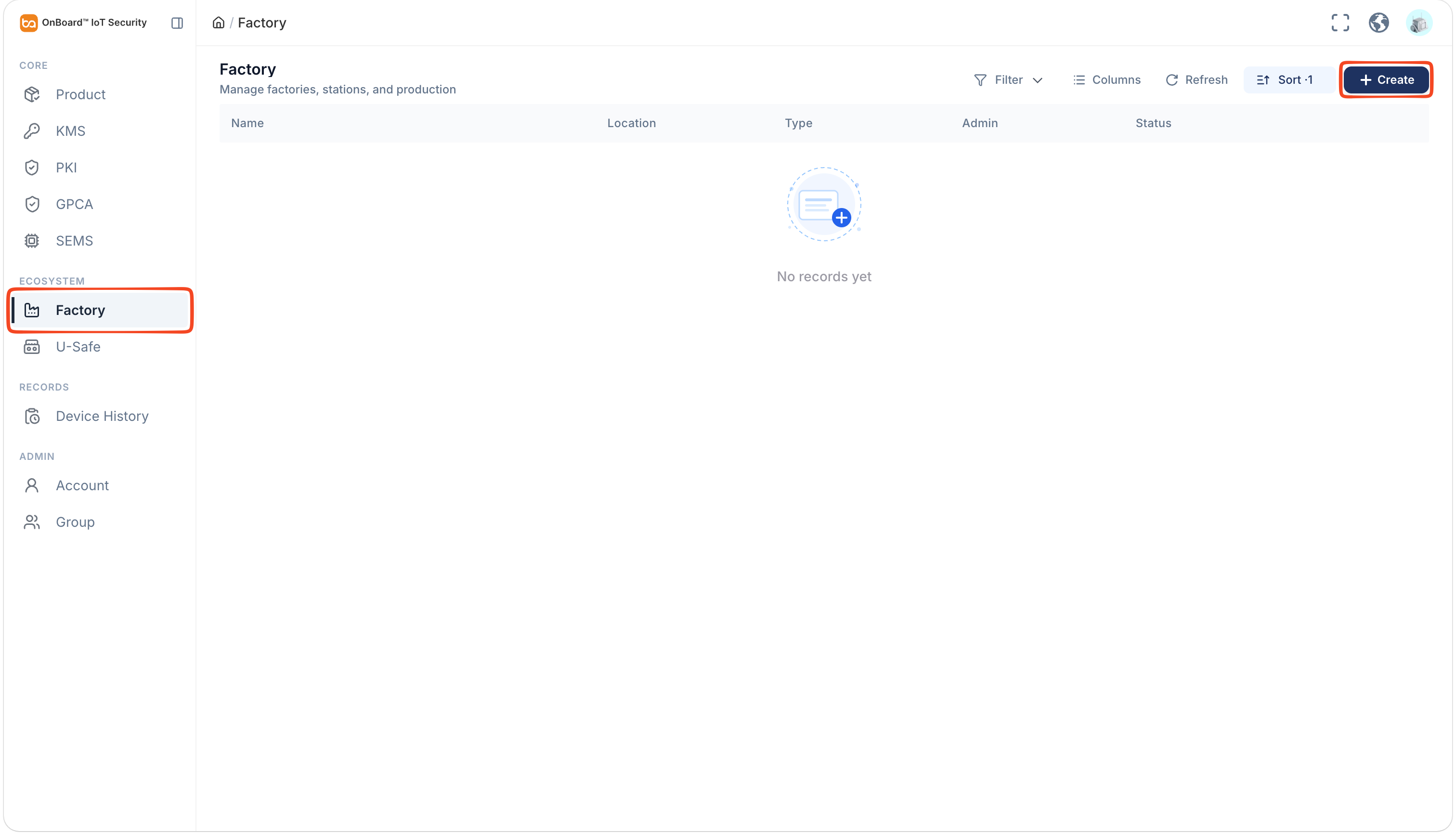
In the Ecosystem section of the left menu, click Factory, and then click Create.
-
On the Create Factory panel, select and enter the required factory basic information.
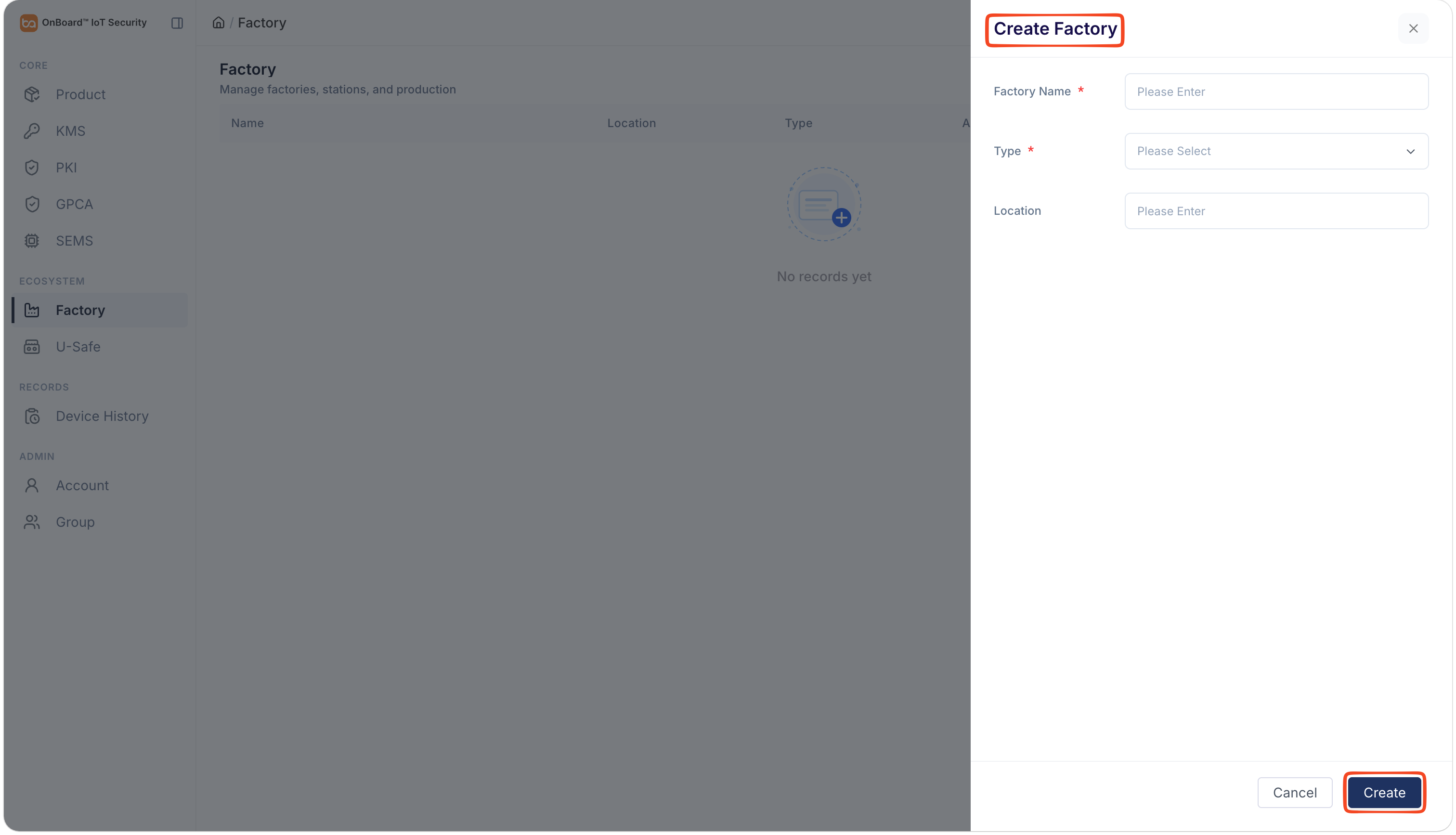
Description of factory basic information:
Information Mandatory Description Factory Name Yes The factory name must be unique. Type Yes Two types can be selected: Local and Cloud. Location No It is recommended to provide the factory address. -
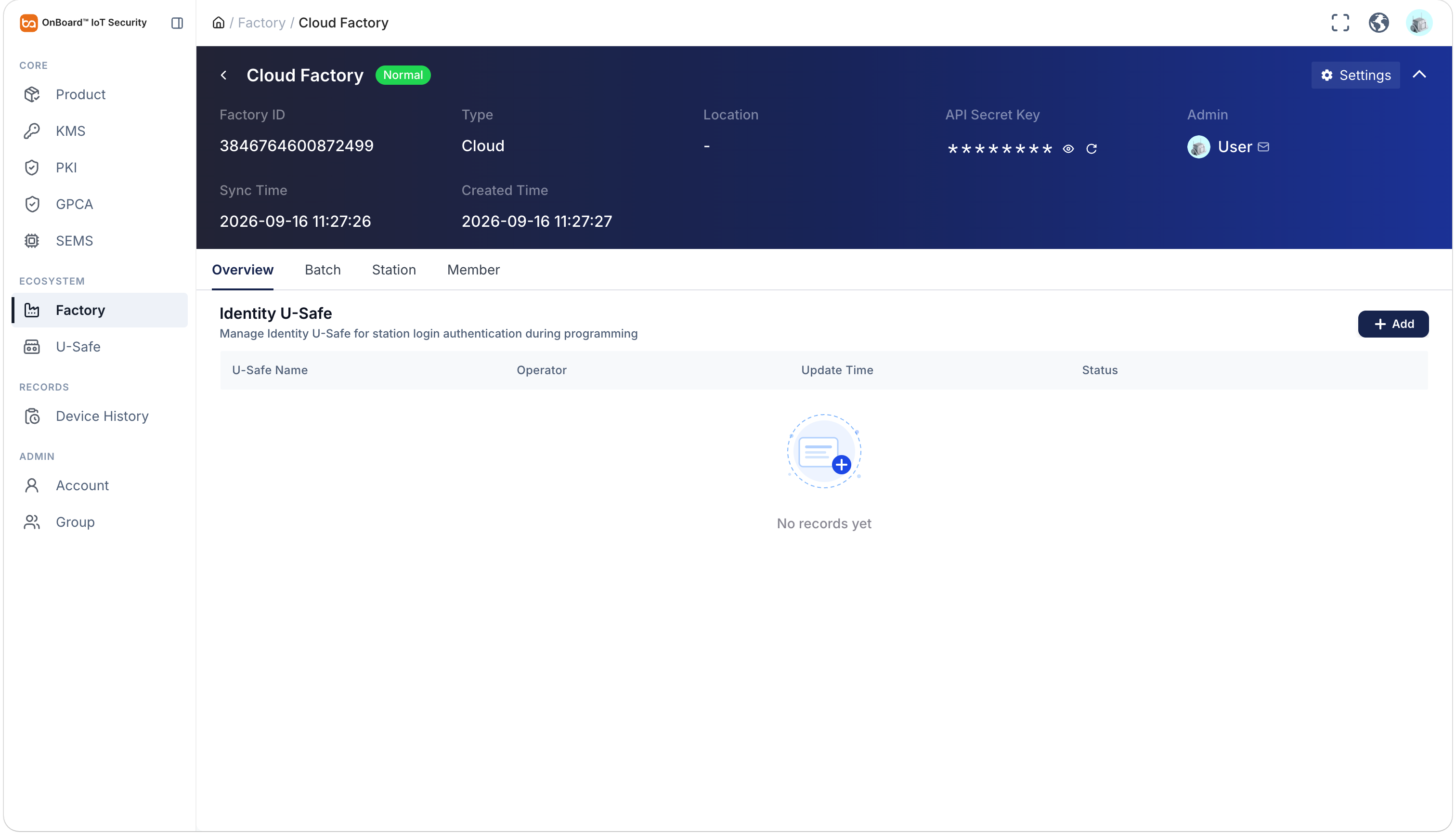
Click Create to complete the factory creation. After creation, you can check the factory-related information on the factory page.
tipBy default, the factory creator is set as the Admin. To change the Admin, click the Options
 icon for the Admin and select Transfer Admin on the Member tab, then choose the new Admin and click Confirm.
After the factory is created, you can only modify the Factory Name and Location in Settings.
- The initial status of a local factory is Pending. Once an HSM U-Safe is added to the local factory, the status will change from Pending to Normal. For more information, refer to the description of factory status.
- The initial status of a cloud factory is Normal.

 Download User Manual