How to check keys in OnBoard™ IoT Security
This article will guide you on how to check key information and logs in OnBoard™ IoT Security (OBIS).
Instructions
-
Sign in to OBIS.
-
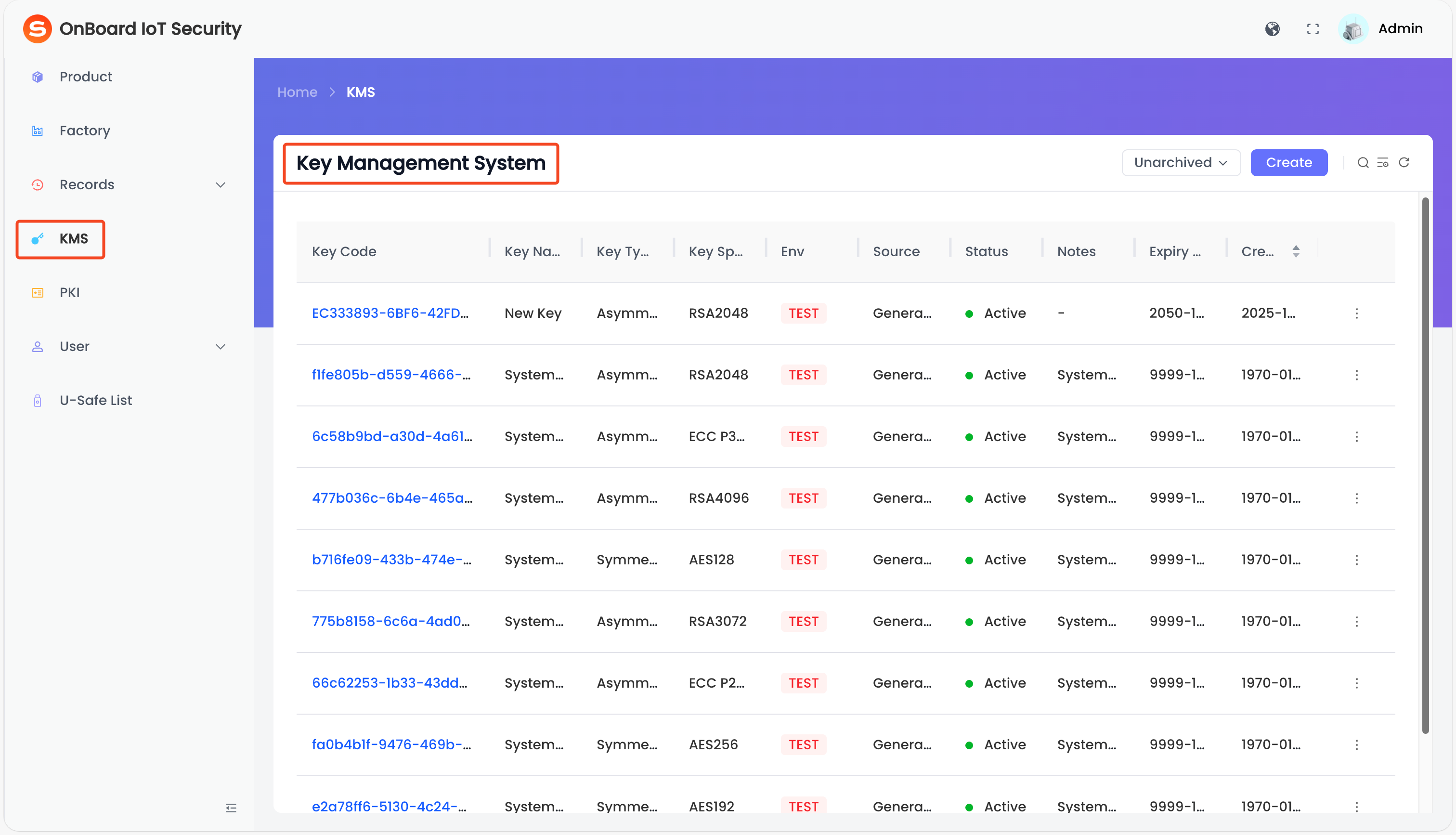
In the left menu, click KMS to navigate to the Key Management System page, and then you can check the key information (such as Key Code, Key Name, and Key Type). At the same time, you can search for the corresponding key based on the key information and filter to display both archived and unarchived keys.
tipCurrently, keys can be searched using the following conditions: Key Code, Key Name, Key Type, Key Spec, Env, Source, Status, and Creation Time.
You can click the search icon to display or hide the search conditions.
-
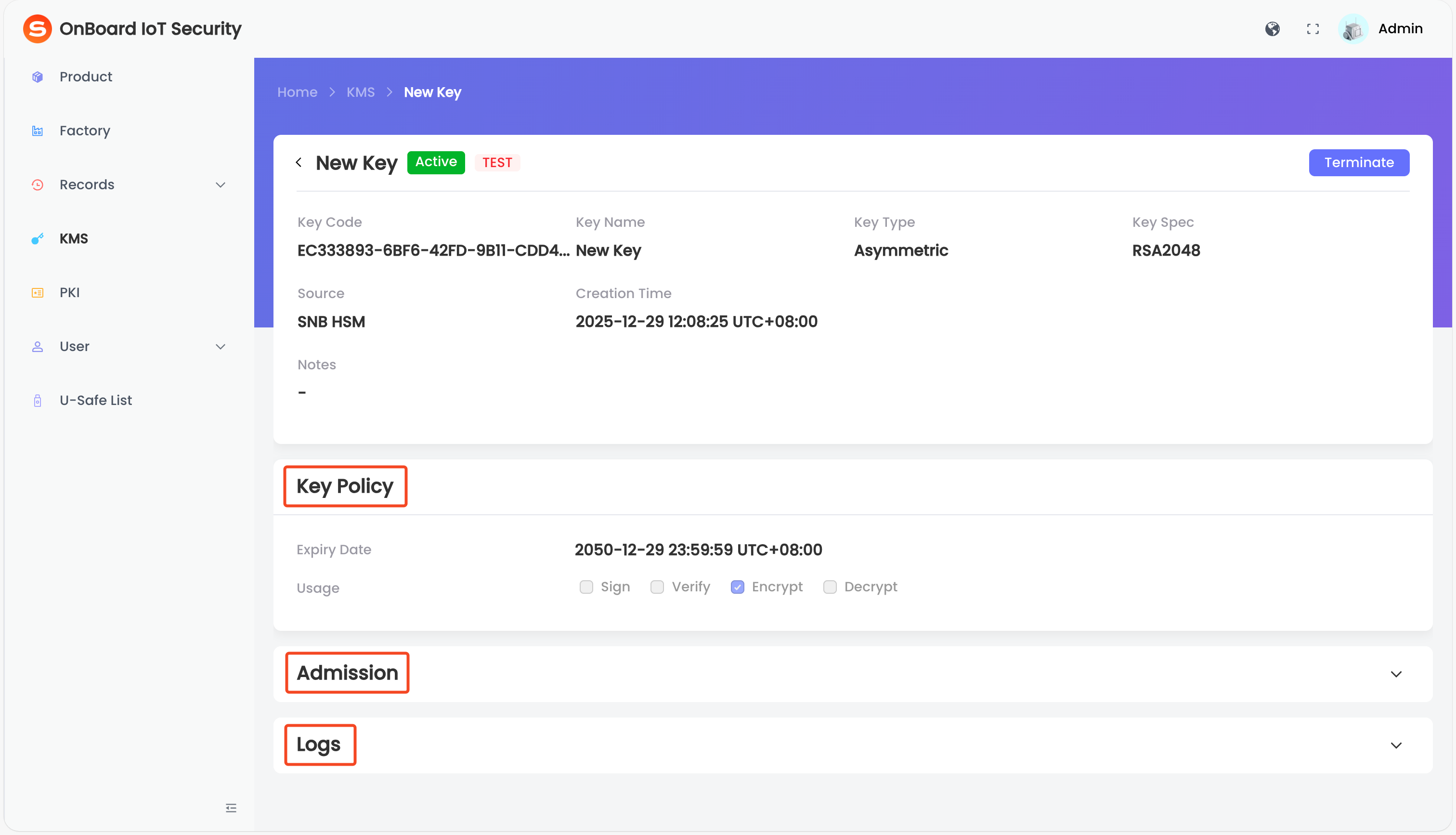
On the Key Management System page, select the corresponding key code. On the key page, you can check the key-related information (such as Basic info, Key Policy, Admission, and Logs).
tipIn the Admission area, you can manage the key permissions.
In the Logs area, you can check the historical operations of the key.

 Download User Manual