How to create a version in OnBoard™ IoT Security
This article will guide you on how to create a version in OnBoard™ IoT Security (OBIS) to prepare for batch creation. Each product can create multiple versions.
Prerequisites
Before getting started, please ensure that:
- The product has already been configured.
- You have product role permissions for the corresponding product: Product Owner, Product Manager, or Version Manager.
Instructions
-
Sign in to OBIS.
-
In the left menu, click Product, and then select the corresponding product to navigate to the product page.
-
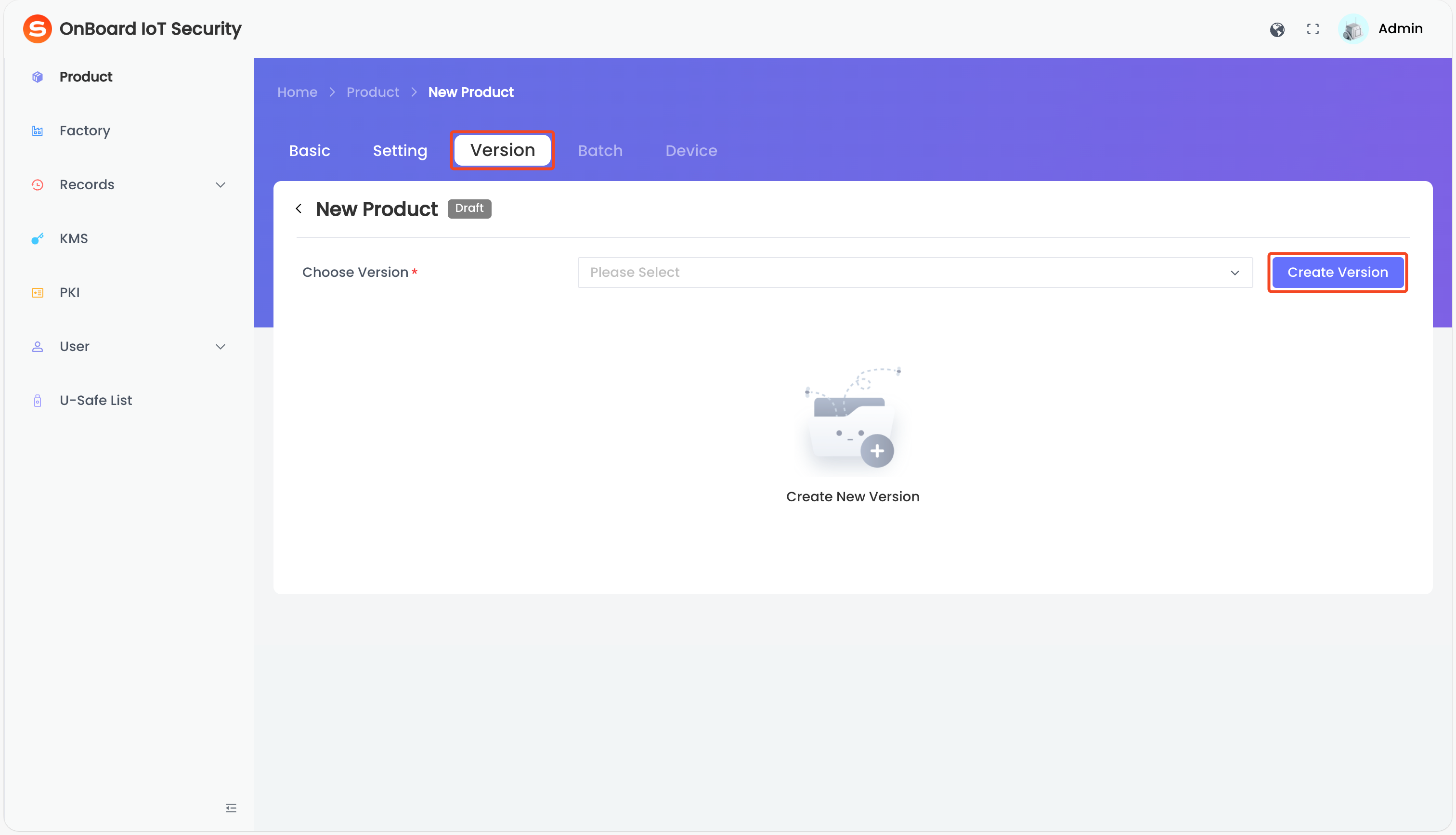
On the product page, select the Version tab and then click Create Version. The page will navigate to the Create Version tab.
tipIf the Version tab appears grayed out, it is currently unavailable. Please check whether all required resources and configuration items for your product have been configured. Once everything is properly configured, the Version tab will be enabled automatically.
-
On the Create Version tab, select and enter the version-related information.
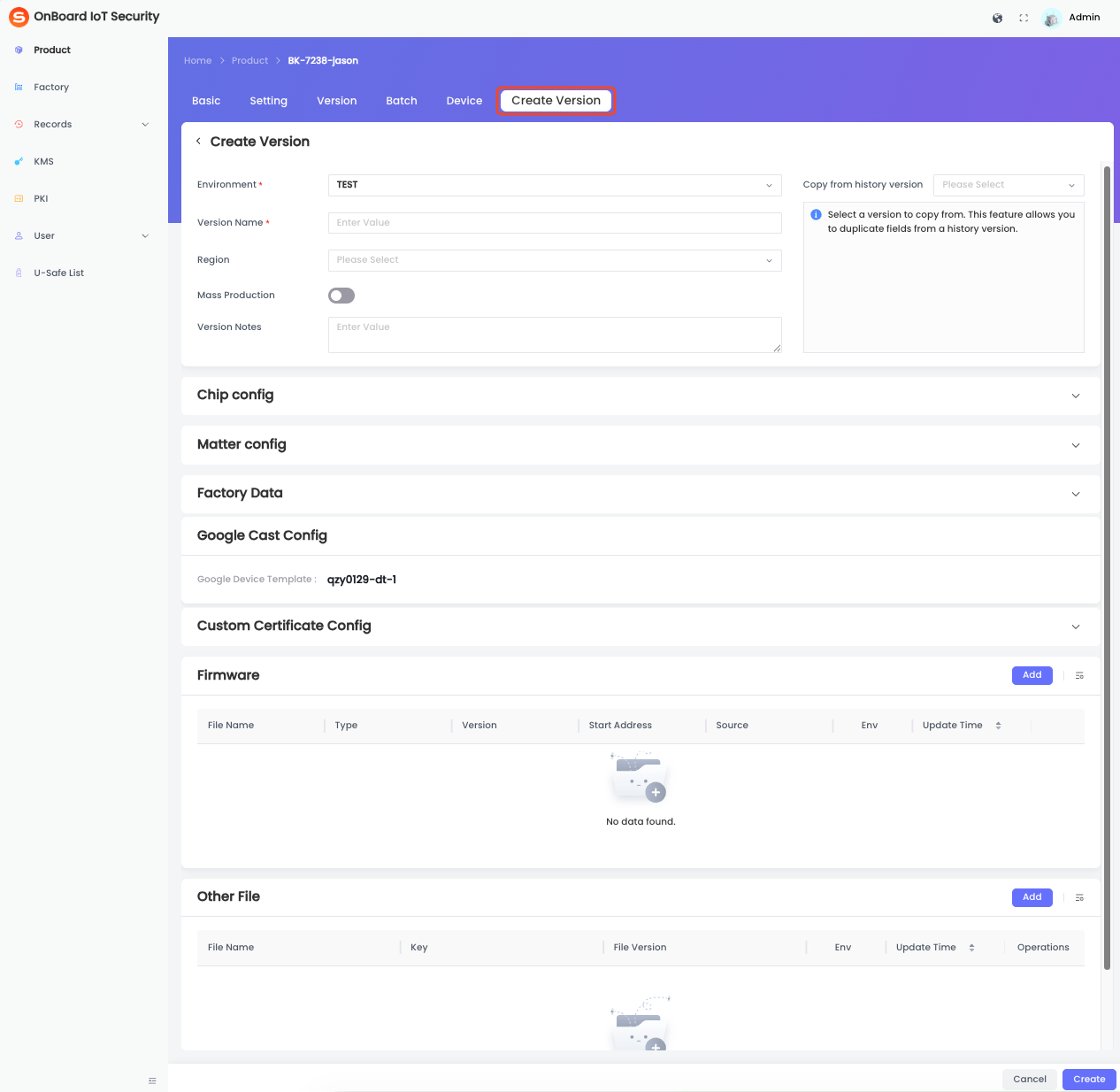
Description of version information:
Information Mandatory Description Environment Yes Two environments can be selected: TEST and PROD.
Note: To configure a version in the PROD environment, the PROD DAC Template must be configured in the Matter configuration.Version Name Yes The version name must be unique within the same environment. Region No Select and set the region for the version.
Note: Available regions depend on the supported regions configured when the product was created.Mass Production No Indicate whether the version can be used for mass production. Typically, the Mass Production feature is enabled only for versions in the PROD environment after all testing has been completed. Version Notes No Provide additional information related to the version, such as special requirements and important notes. Copy from history version No You can select a historical version as a template for modification.
Note: After copying from a historical version, the environment can't be changed.Chip config Yes The Chip Config in the Config Item area. If the version is in the TEST environment and the Secure Boot or Secure Debug feature is enabled, you can uncheck these options; in the PROD environment, the settings can't be modified. Matter config Yes The Matter Config in the Config Item area. The CD File and PID can be reselected, while other information can't be modified. Factory Data Yes The Factory Data in the Config Item area. All values can be modified.
Note: All Factory Data items marked as required must be provided with valid values. Otherwise, the version can't be created.Custom Certificate Config No The Custom certificate configuration in the Config Item area. Google Cast Config No The Google certificate configuration in the Config Item area. Firmware Yes The Firmware List in the Resource Pool area. Select the firmware files required for this version. Other File No The File List in the Resource Pool area. Select the files required for this version. -
After verifying that all information is correct, click Create at the bottom of the page to complete the version creation.
If version approval was enabled when the product was created, versions created in the PROD environment will require approval by the Product Owner or Product Manager.
- Before the version is approved, the version status is Pending for approval and it can't be used to create a batch.
- Once the version is approved, the version status changes to Approved.

 Download User Manual