How to check accounts in OnBoard™ IoT Security
This article will guide you on how to check account information, AK (Access Key), and SK (Secret Key) in OnBoard™ IoT Security (OBIS).
Instructions
-
Sign in to OBIS.
-
In the Admin section of the left menu, click Account to navigate to the Account page.
-
On the Account page, select the corresponding user.
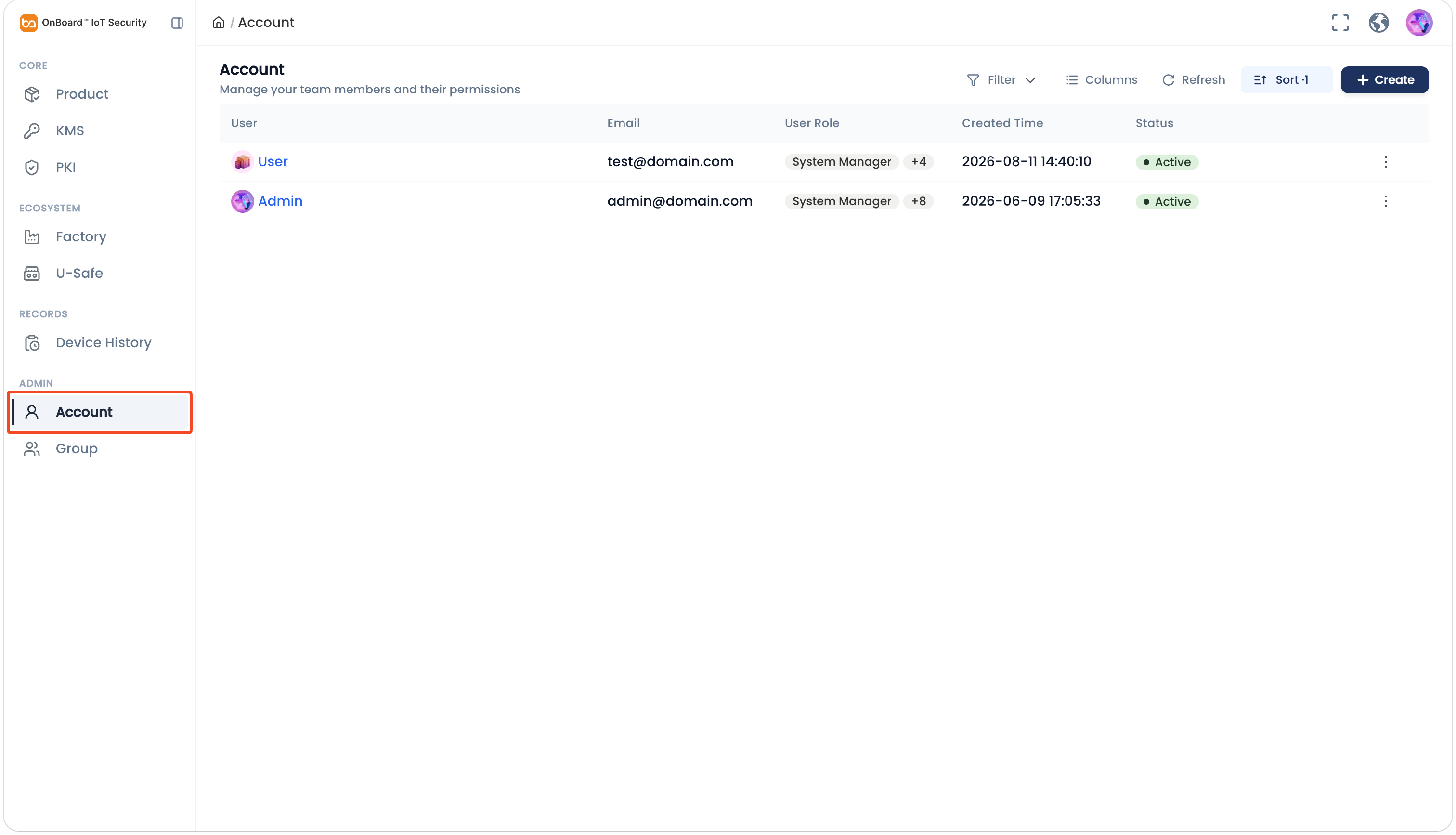
-
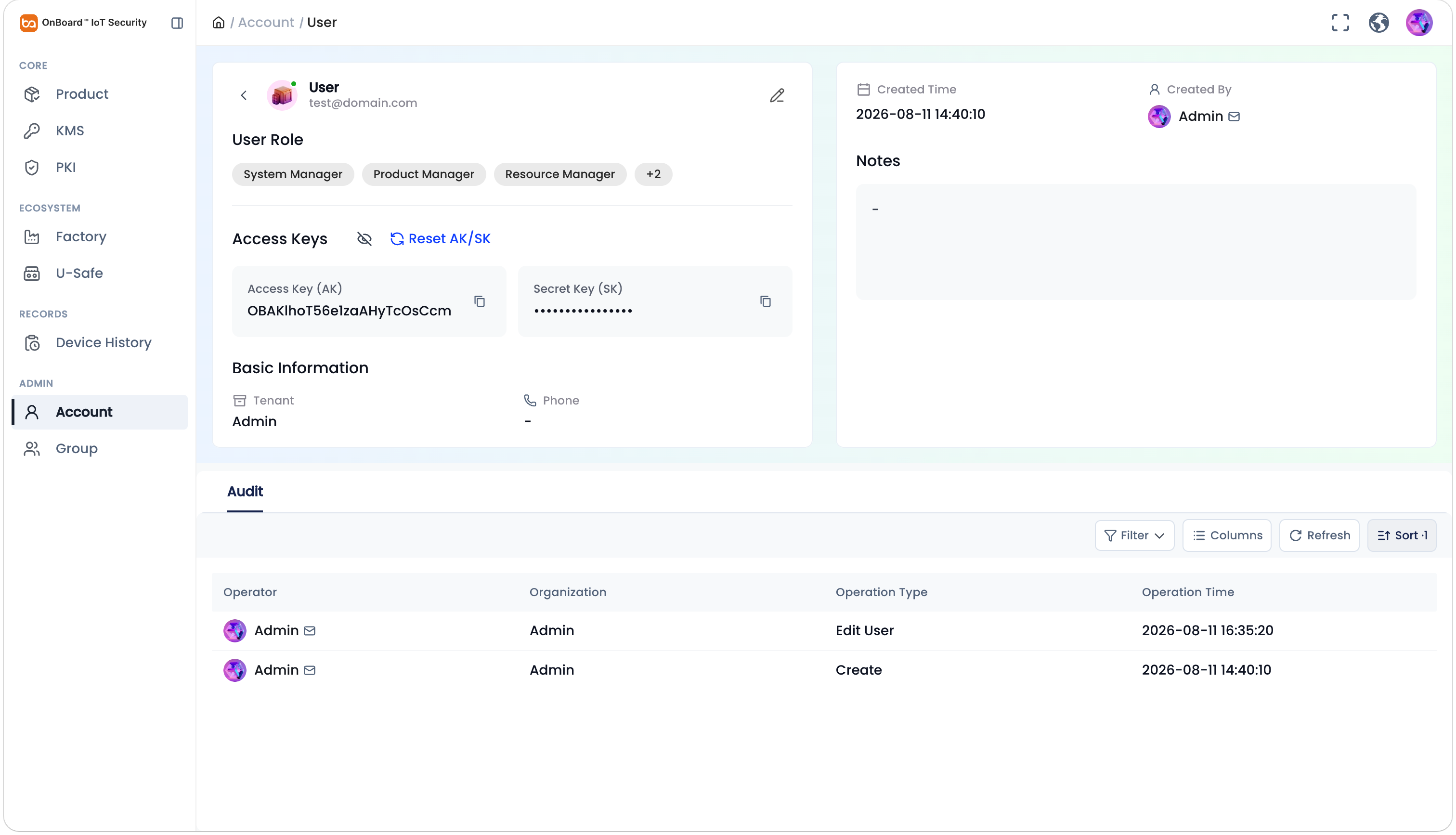
On the user page, you can check the account-related information (such as User Role, Basic Information, and Audit).
tipIn the Access Keys section, you can view or reset the AK or SK. AK and SK can be used for authentication and API calls.

 Download User Manual