How to create a group in OnBoard™ IoT Security
This article will guide you on how to create a user group in OnBoard™ IoT Security (OBIS) for centralized user management.
Prerequisites
Before getting started, please ensure that you have OBIS role permissions as a System Manager.
Instructions
-
Sign in to OBIS.
-
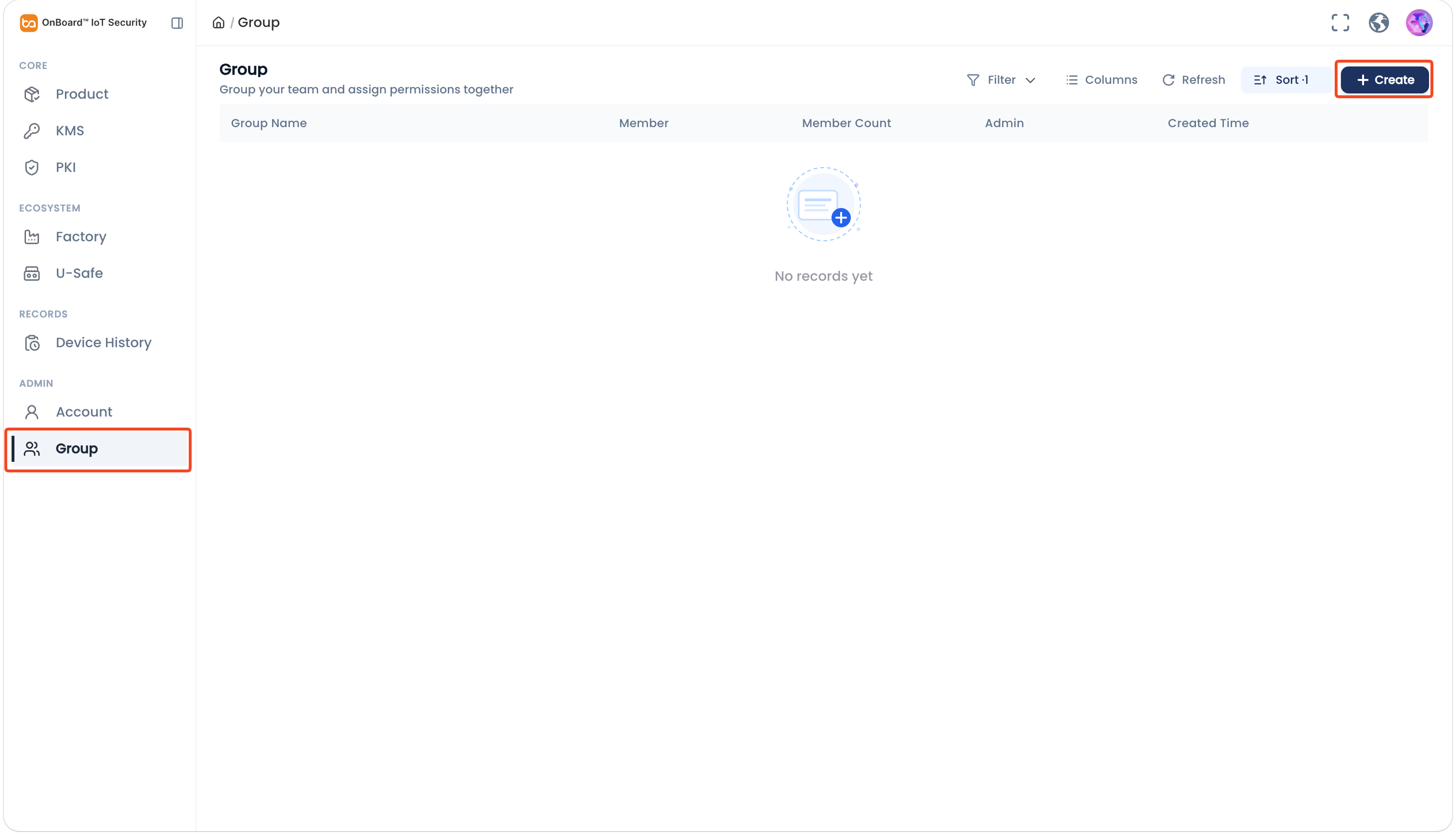
In the Admin section of the left menu, click Group, and then click Create.
-
On the Create Group panel, enter the user group related information.
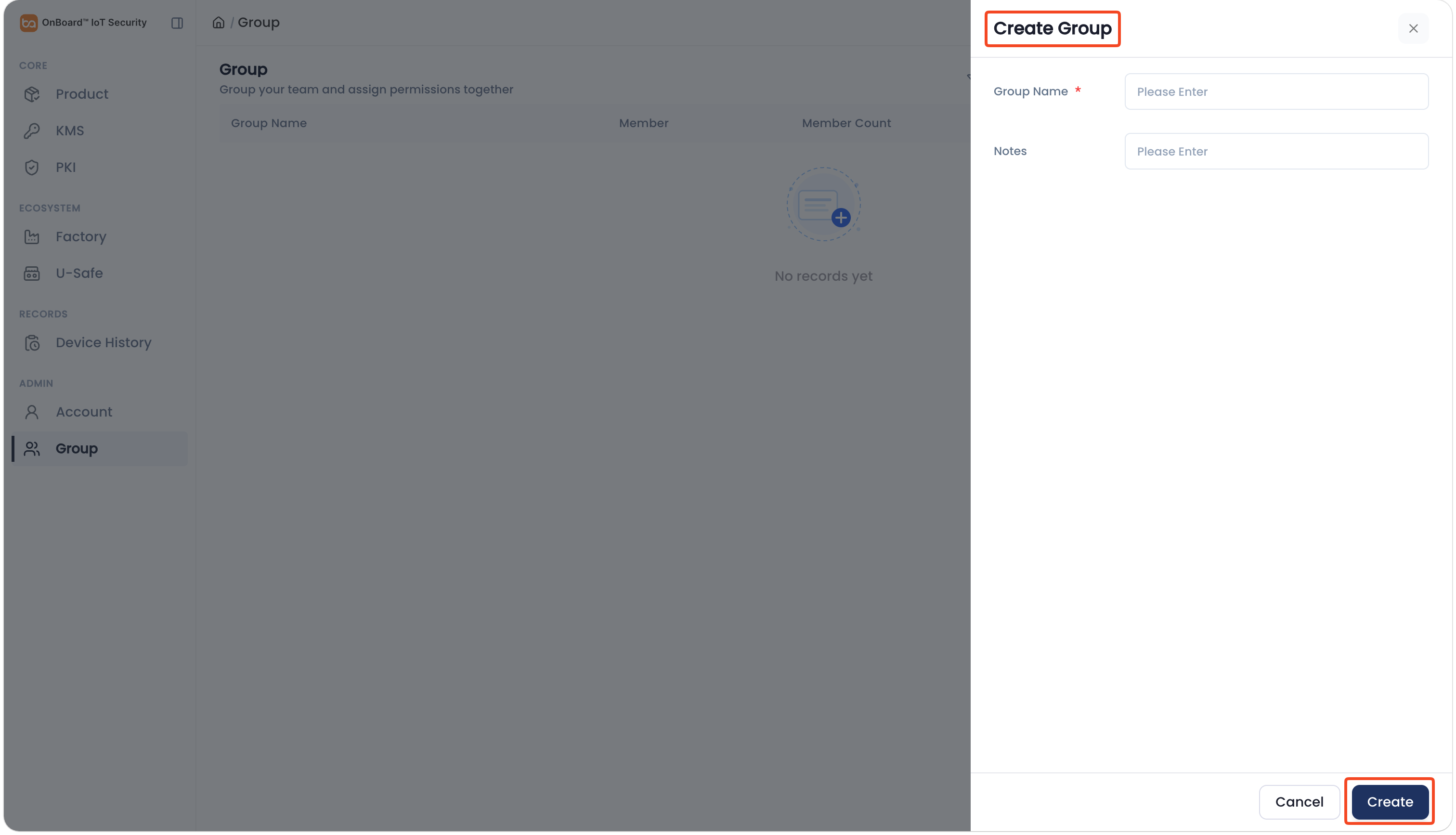
Description of user group information:
Information Mandatory Description Group Name Yes The user group name must be unique. Notes No Provide additional information related to the user group, such as special requirements and important notes. -
Click Create to complete the user group creation.

 Download User Manual