How to check logs in OnBoard™ IoT Security
This article will guide you on how to check the historical operations of the product in OnBoard&trade IoT Security (OBIS).
Prerequisites
Before getting started, please ensure that you have product role permissions for the corresponding product.
Instructions
-
Sign in to OBIS.
-
In the Core section of the left menu, click Product, and then select the corresponding product to navigate to the product page.
-
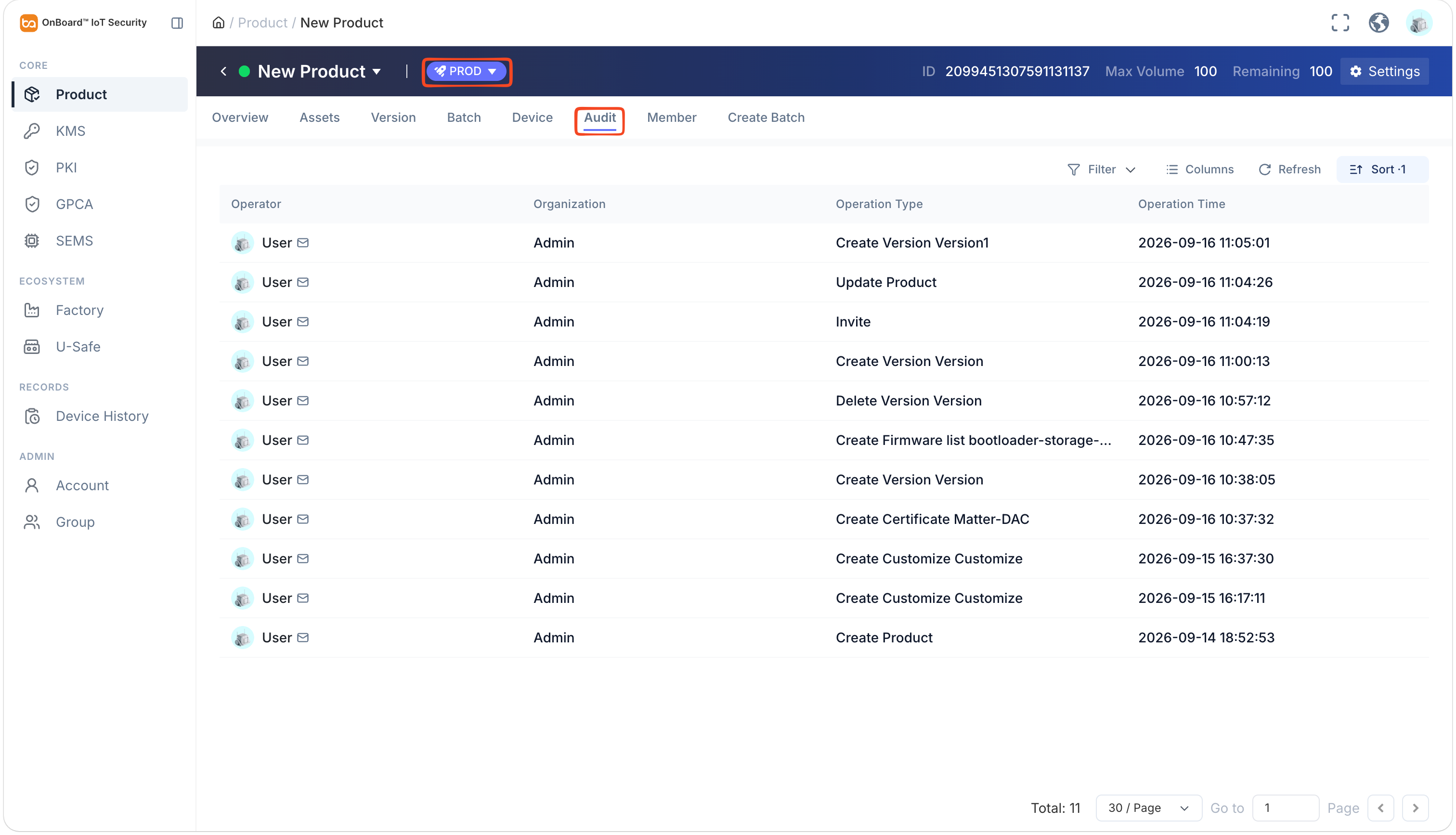
On the product page, select the TEST or PROD environment, and then select the Audit tab to check the product history (such as Operator, Organization, Operation Type, and Operation Time).
tipClick the Filter
 , Sort
 , Refresh
 , and Columns Options
 icons to filter, sort, refresh data, and to customize which columns are shown and how they are ordered.

 Download User Manual