How to manage versions in OnBoard™ IoT Security
This article will guide you through the following operations in OnBoard™ IoT Security (OBIS):
- Approve or reject a version
- Edit a version
- Delete a version
Prerequisites
Before getting started, please ensure that you have product role permissions for the corresponding product: Product Owner, Product Manager, or Version Manager.
Approve or reject a version
If version approval was enabled when the product was created, versions created in the PROD environment will require approval (approve or reject) by the Product Owner or Product Manager.
- Once the version is approved, the version status will change to Approved and it can be used to create a batch.
- Once the version is rejected, the version status will change to Rejected, and the version needs to be updated and resubmitted for approval.
The Product Owner or Product Manager can disable it on the Setting tab of the product.
-
Sign in to OBIS.
-
In the left menu, click Product, and then select the corresponding product to navigate to the product page.
-
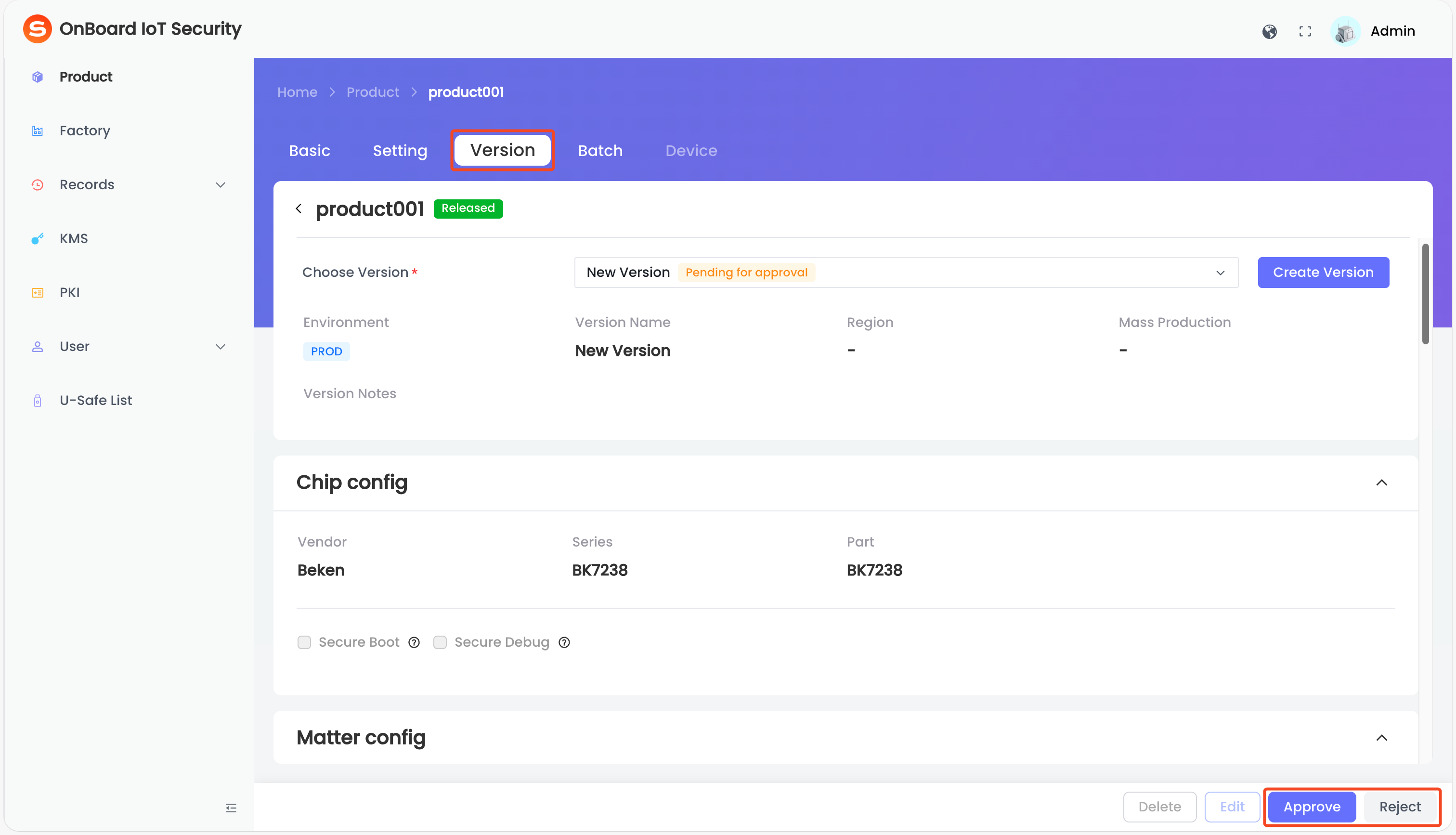
Select the Version tab, and select the corresponding version, and then click Approve or Reject at the bottom of the page.
Edit a version
Before editing a version, please ensure that:
- The version status is not Pending for approval (a version in Pending for approval can't be edited).
- The version is not associated with any batches (once a batch has been created using this version, the version can no longer be edited).
-
Sign in to OBIS.
-
In the left menu, click Product, and then select the corresponding product to navigate to the product page.
-
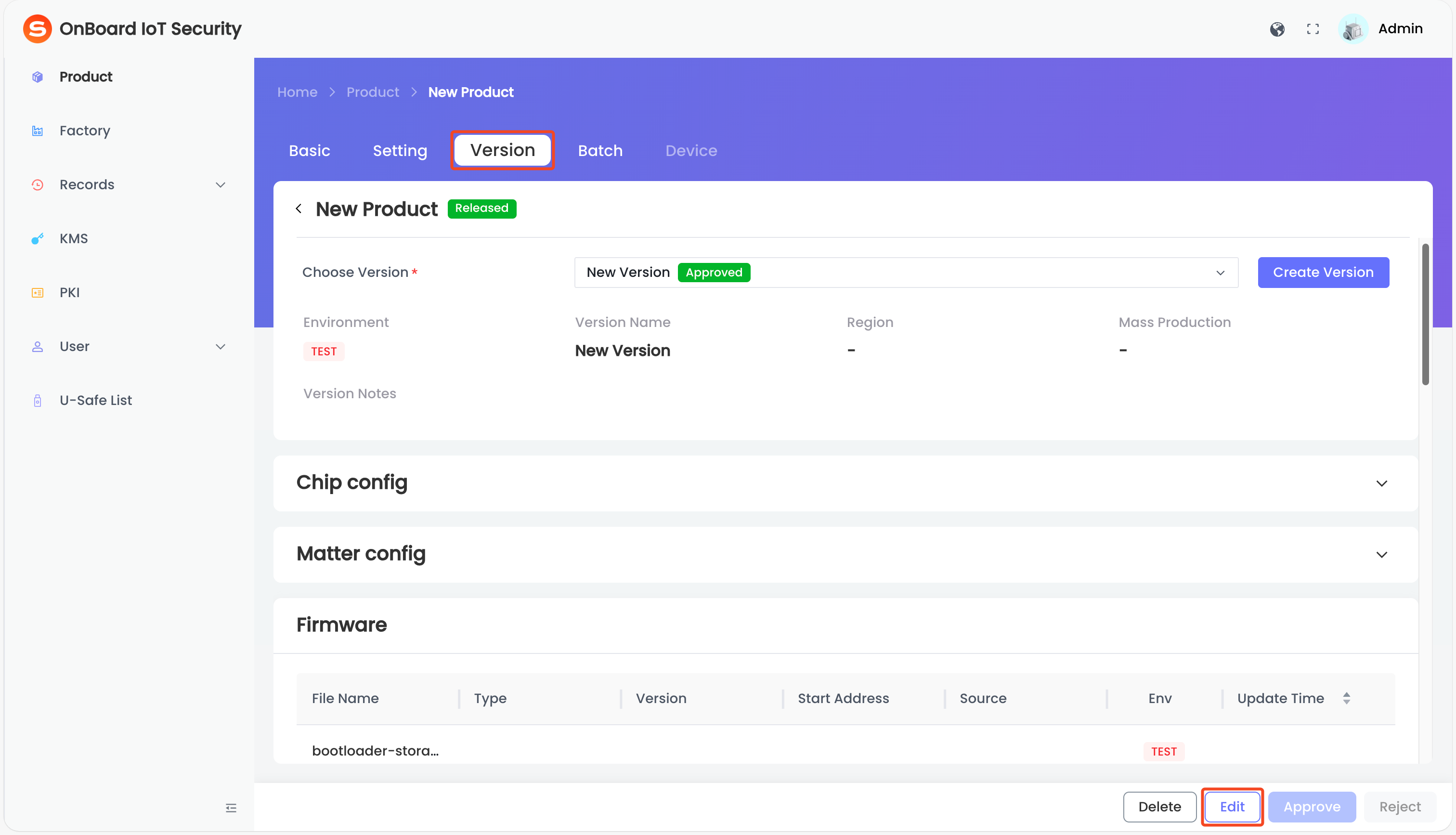
Select the Version tab, and select the corresponding version, and then click Edit at the bottom of the page.
-
After verifying that the changes are correct, click Save to change the version information.
Delete a version
Before deleting a version, please ensure that:
- The version status is not Pending for approval (a version in Pending for approval can't be deleted).
- The version is not associated with any batches (once a batch has been created using this version, the version can no longer be deleted).
-
Sign in to OBIS.
-
In the left menu, click Product, and then select the corresponding product to navigate to the product page.
-
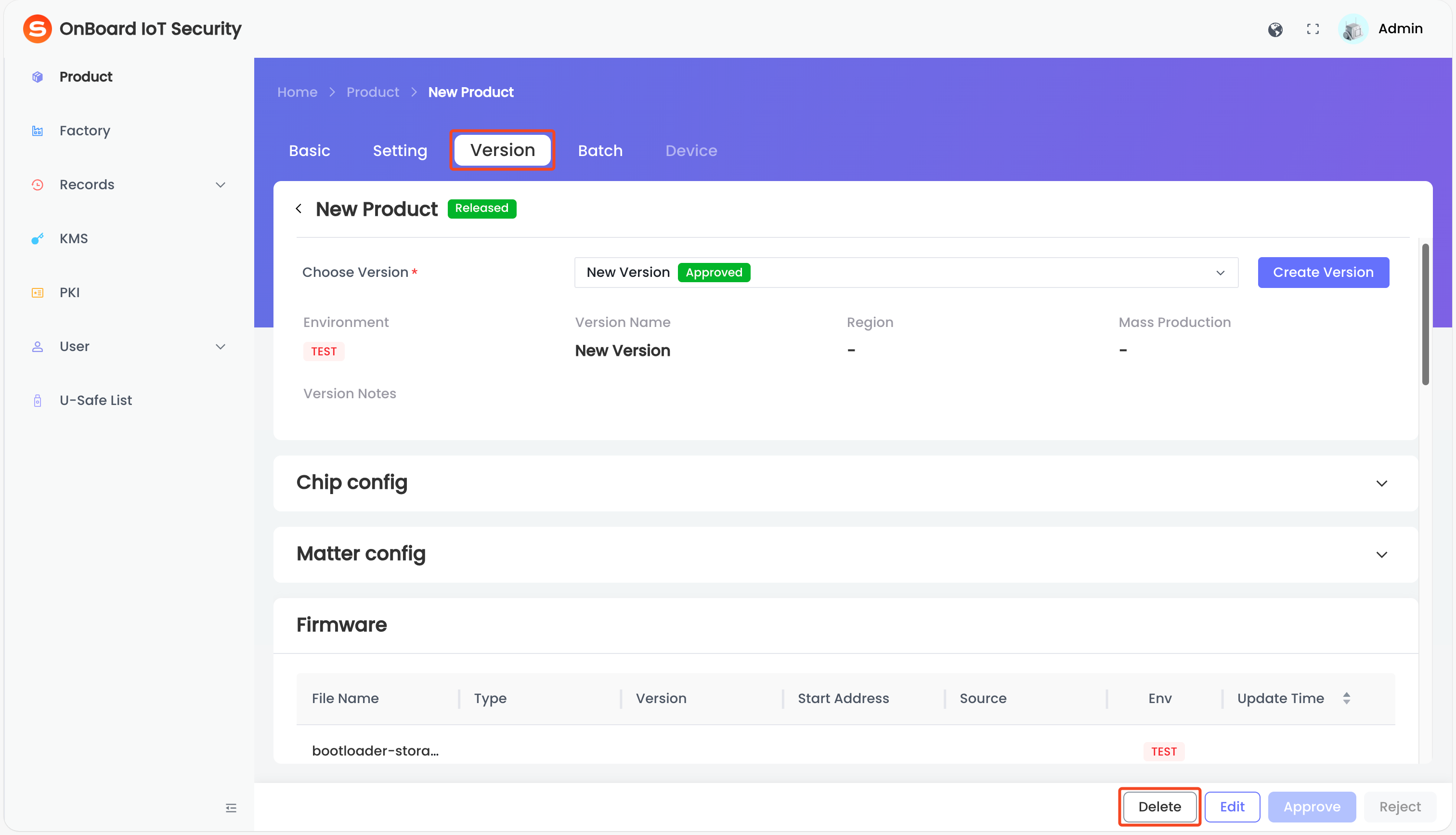
Select the Version tab, and select the corresponding version, and then click Delete at the bottom of the page.
-
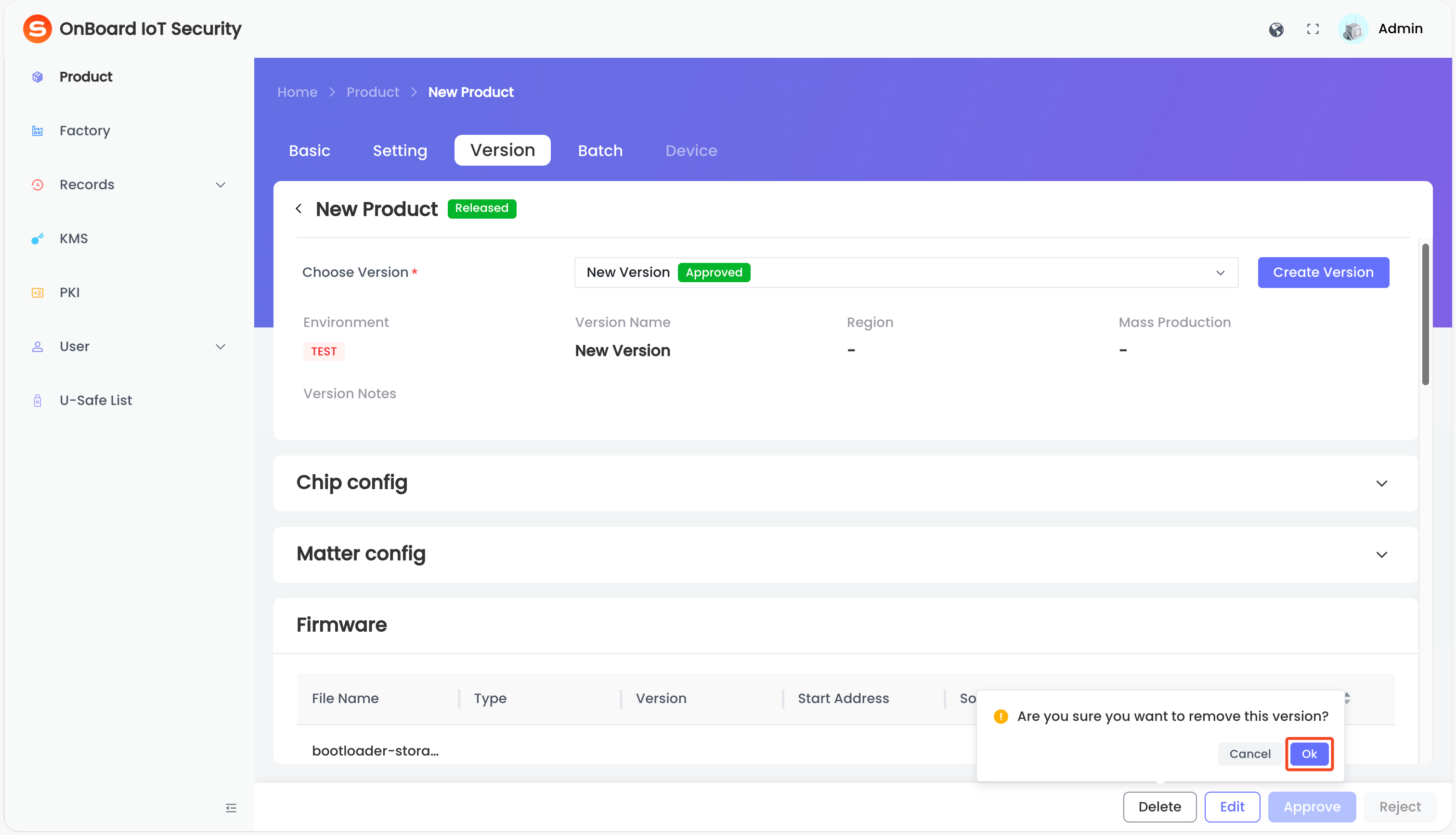
In the pop-up window, click OK to delete the version.

 Download User Manual